 Pro Pulse Health Care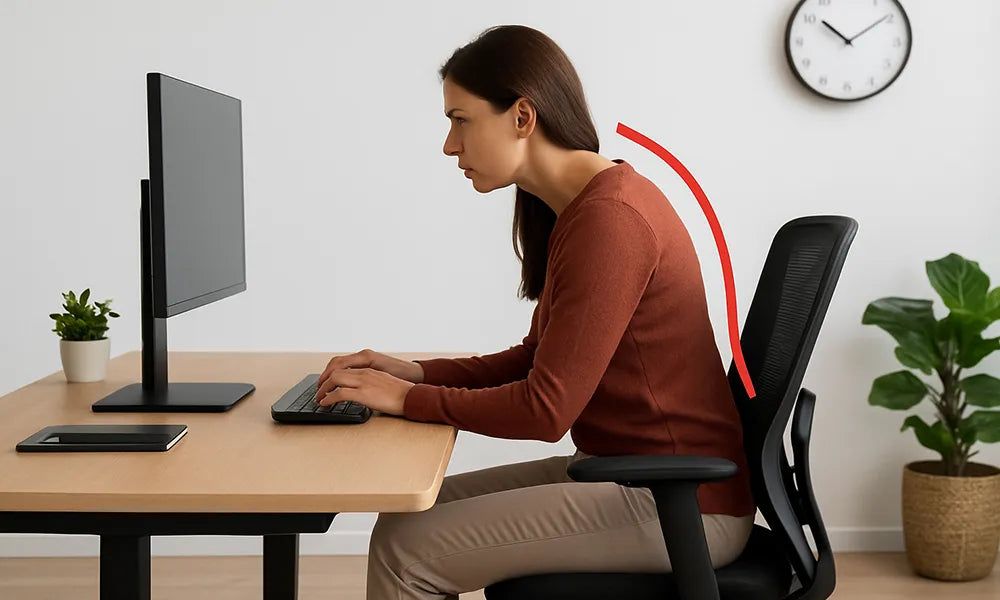
With millions of professionals working at desks for hours daily, chronic neck pain, shoulder tension, and lower back aches have become incredibly common. Sitting in a static position for extended periods, especially with a slouched posture, places excessive loading forces on the spine, leading to early disc wear, muscle fatigue, and repetitive strain injuries. Implementing **ergonomic workstation setup** and posture correction can prevent these issues entirely.
The Impact of Prolonged Sitting on Your Body
When you slouch or lean forward toward a computer monitor, your cervical spine flexes, forcing your neck muscles to work overtime to support your head (a condition called "text neck"). Simultaneously, the natural curve of your lower back flattens, increasing the internal pressure on your lumbar discs, which can lead to herniations and sciatica over time.
Creating an Ergonomic Workstation
To reduce pressure on your spine and joints, make these simple workplace adjustments:
- Monitor Alignment: Place the top of your screen at eye level to prevent looking down or straining your neck.
- Chair Height: Adjust your seat so that your elbows rest at a 90-degree angle, your lower back is fully supported, and your feet are flat on the floor.
- Keyboard Placement: Keep your keyboard close enough that your shoulders rest comfortably without reaching forward.
Daily Desk Stretches and Active Breaks
Set a timer to stand up and stretch for 2 minutes every hour. Perform simple active movements like chin tucks, chest openers, shoulder rolls, and hamstring stretches. These active breaks restore blood flow, relax tense muscle groups, and protect your spine from static fatigue.